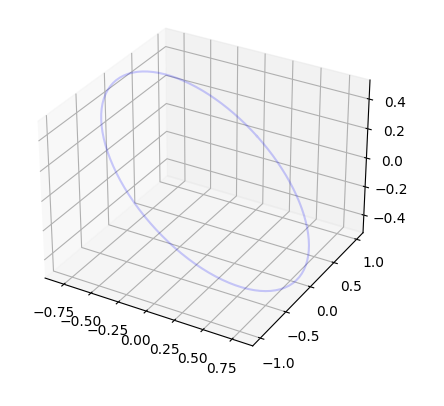
mrdja.matplot3d.draw_circumference
- mrdja.matplot3d.draw_circumference(center: ndarray = array([0, 0, 0]), radius: float = 1, normal: ndarray = array([0, 0, 1]), color: str = 'red', alpha: float = 0.5, ax=None)[source]
Draws a circumference in 3D space.
- Parameters:
center (numpy.ndarray) – A 3x1 numpy array containing the center of the circumference.
radius (float) – The radius of the circumference to draw.
normal (numpy.ndarray) – The normal vector of the circumference.
color (str) – The color of the circumference to draw.
style (str) – The style of the circumference to draw.
ax (matplotlib.axes._subplots.Axes3DSubplot) – The matplotlib ax object to draw on.
- Returns:
The ax object.
- Return type:
matplotlib.axes._subplots.Axes3DSubplot
- Example:
>>> import mrdja.matplot3d as plt3d
>>> import numpy as np
>>> center = np.array([0, 0, 0])
>>> radius = 1
>>> normal = np.array([0.5, 0.3, 0.8]) / np.linalg.norm(np.array([0.5, 0.3, 0.8]))
>>> plt3d.draw_circumference(center, radius, normal, color="blue", alpha=0.2)